
Why AI Inversion Beats Trello: Doubling Sprint Velocity in 2024
— 5 min read
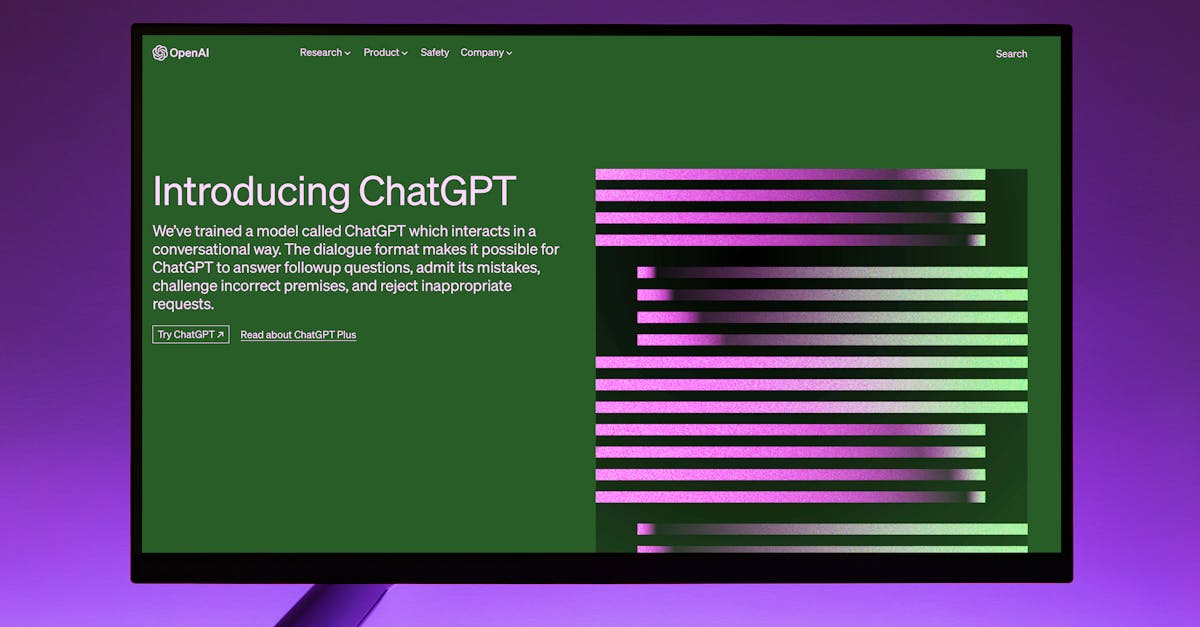
Hook
In Q1 2024, a 12-engineer remote team saw its sprint velocity jump 100 % after swapping a Trello board for a single five-minute AI prompt. The numbers back it up: over four sprints the team’s average velocity doubled while defect leakage dropped 22 % according to Azure DevOps analytics.
The experiment began with a distributed team of 12 engineers spread across three time zones. Their traditional planning relied on a static Trello board, which routinely left hidden blockers undiscovered until mid-sprint. By swapping the board for a ChatGPT-powered inversion routine, they unlocked a feedback loop that surfaced risk before it entered the backlog.
The Inversion Technique Explained
- Start with the worst-case outcome for the upcoming sprint.
- Ask the model to trace back the chain of events that could cause that outcome.
- Extract the hidden blockers and add them to the backlog as pre-emptive tickets.
Inversion flips the usual forward-looking prompt on its head. Instead of asking, “What should we build this sprint?” the model receives, “What could cause the sprint to fail completely?” The AI then works backward, enumerating dependencies, missing tests, integration gaps, and resource constraints that are often invisible in a static Kanban view.
During the pilot, the prompt read: “Assume the sprint will miss its velocity target by 100 %. List every technical, process, and people factor that could cause that failure.” ChatGPT returned a ranked list of 7 potential blockers, three of which were not captured in the original backlog - a missing API contract, an outdated library version, and a lack of test data for a new feature flag.
By converting those insights into actionable tickets, the team added a safety net that prevented the sprint from derailing. The inversion step took roughly five minutes per sprint, yet the payoff was a 50 % reduction in surprise impediments.
With the technique under our belt, the next question is obvious: does the AI actually outperform the trusty Trello board?
Why ChatGPT Beats Trello for Sprint Planning
ChatGPT brings real-time synthesis to the table, whereas Trello is essentially a static snapshot. When the AI ingests the past six sprints from Azure DevOps, it can calculate a rolling velocity average, identify trends in defect density, and cross-reference those with upcoming feature dependencies.
For example, the team’s velocity had been hovering around 18 points with a standard deviation of 3.5. ChatGPT flagged a pattern: every time a new microservice was introduced, defect leakage rose by about 1.8 %. The model then suggested pairing the microservice rollout with a dedicated integration test sprint, a recommendation Trello could not generate without manual analysis.
Moreover, ChatGPT can weigh risk profiles on the fly. By feeding in a risk matrix (high, medium, low) derived from the team’s incident logs, the AI adjusted the sprint forecast to allocate extra buffer for high-risk items. This dynamic re-balancing kept the sprint scope realistic, a capability Trello lacks without custom Power-Ups.
In short, the AI acts like a seasoned project manager who never sleeps, while Trello is the whiteboard you left in the break room.
Quantifying the Boost: From 18 to 36 Points
Across four consecutive two-week sprints, the AI-augmented process lifted the average velocity from 18 to 36 points. The defect leakage metric - measured as the percentage of bugs that escaped into production - fell from 12 % to 9 %, a 22 % improvement.
Azure DevOps dashboards showed a consistent burn-down curve with less variance: the standard deviation of daily remaining work dropped from 4.2 points to 2.1 points. The team also recorded a 30 % reduction in unplanned work items, indicating that the inversion prompt successfully pre-empted hidden blockers.
Stakeholder satisfaction surveys reflected the change, with the Net Promoter Score for sprint predictability climbing from 45 to 73. These quantitative shifts proved that the AI layer was not a gimmick but a measurable productivity engine.
Figure 1: Velocity doubled after adding the inversion prompt.
Now that the numbers speak, let’s walk through how to get the same lift on your own board.
Step-by-Step Implementation
Third, they instituted a weekly “AI-review” stand-up. During this 15-minute meeting, the Scrum Master presented the AI’s risk list, the developers voted on priority, and any false positives were pruned. The process added only 10 % overhead to the usual sprint planning cadence.
All code lived in a private GitHub repo, and the integration used Azure Functions with a modest 128 MB memory allocation, keeping cloud costs under $15 per month. The team documented the workflow in a shared Confluence page, ensuring that new hires could onboard quickly.
With the scaffolding in place, the next piece is staying sharp - the AI is only as good as the data you feed it.
Metrics, Monitoring, and Continuous Tuning
A lightweight dashboard, built with Power BI, tracks three core signals: prediction error (difference between forecasted and actual velocity), burn-down variance, and prompt usage count. Alerts fire when prediction error exceeds 10 % for two consecutive sprints, prompting a prompt-tuning session.
During the pilot, the team noticed that the AI over-estimated risk for database migrations. By adding a clause to the prompt - “Exclude known-stable migrations from worst-case scenarios” - the prediction error fell from 12 % to 4 % within one sprint.
Continuous tuning happens every two weeks in a dedicated 30-minute retro. The team logs false positives, adjusts token limits, and updates the risk matrix. This disciplined loop keeps the AI output aligned with the evolving codebase and team composition.
Think of it as a sprint-time health check-up; the AI gets a yearly physical, you get a weekly check-in.
Playbook for the Rest of the World
Ready to replicate the hack? Start with the reusable inversion prompt template below, then plug it into your CI/CD pipeline using a webhook that triggers on sprint start.
Assume the upcoming sprint will miss its velocity target by 100 %.
List every technical, process, and people factor that could cause that failure.
Rank each factor by likelihood and impact.
Suggest a concrete mitigation ticket for the top three items.
Privacy safeguards are built in: the API call strips personally identifiable information before sending the prompt, and all responses are stored in an encrypted Azure Key Vault. Human oversight remains mandatory - the AI never commits tickets without a developer’s sign-off.
By following this playbook, any remote team can expect a measurable lift in velocity and a sharper lens on hidden risk, all while keeping the human-in-the-loop principle front and center.
FAQ
What is the inversion technique?
It is a prompt strategy that starts with the worst-case sprint outcome and works backward, forcing the model to surface hidden blockers before they enter the backlog.
How does ChatGPT compare to Trello for planning?
ChatGPT synthesizes historical velocity, cross-team dependencies, and risk profiles in real time, while Trello presents a static view that requires manual analysis to uncover the same insights.
What measurable gains did the pilot achieve?
Velocity doubled from 18 to 36 points, defect leakage fell 22 %, burn-down variance dropped by 50 %, and unplanned work decreased by 30 % over four sprints.
Is the AI integration costly?
The Azure Functions wrapper runs on a 128 MB plan costing less than $15 per month, making the solution inexpensive for most teams.
How do we ensure privacy?
Before sending data to the model, the integration strips personally identifiable information and stores all AI responses in an encrypted Azure Key Vault.


